I’m building a Flutter app for my website modernfoodcatering.com to display recipes and catering content. When loading a large number of recipe cards in a ListView, the scrolling feels sluggish and sometimes lags, even when using ListView.builder and caching images.
Has anyone dealt with similar performance issues in Flutter and found effective ways to optimize large lists while keeping smooth scrolling and low memory usage?
We really do need to see a bit of the code. Or at least share the architecture (but that may be to vague to really help). And also show performance timeline (or the app with the performance overlay) so that we see the pattern. Are all frames slow? Just a few at a time? How often? Is the jank in main or raster thread, or both?
Janky scrolling with a ListView.builder is generally because you’re doing too much when adding a new item to the list as the user scrolls. For example, the image might be a 4K monster so Flutter has to resize it on the raster thread. Or maybe you’re parsing massive amounts of Markdown for some of the items. That kind of thing.
I see too many people trying to scale the font size on tablets and even scaling the entire screen to fit different form factors. Often, this is done with a custom widget or LayoutBuilders everywhere, with a pretty complicated math to make things (wrongly) “responsive”.
Yes. And Flutter does that for you automatically (see Resolution Aware images link above).
What I do:
I make the original pictures in the highest resolution (x4, which, AFAIK, is the max resolution in high-end devices such as Samsung S series and iPhones/iPads).
Then, I use a script to generate smaler images in webp (through magick). Flutter will use the appropriate size for each image.
What is the appropriate image sizes? Well, that’s when a good device catalog that saves devicePixelRatio in a database pays off. I have millions of device information recorded from real world usage for the last 6 years, so I can query the most common devicePixelRatio nowadays.
The only caveat is: the more folders with different sizes you create, bigger your final package (APK/IPA) becomes. (that’s why is important to use webp, as it is smaller than JPEG with much higher quality).
Hey, it’s been a problem for me too, didn’t dive deep enough to actually fix it, tried a few things with varying degrees of success.
I have some dense lists too and scrolling is stuttery and not smooth, while a similarly dense native app is fine. I have no idea what I’m doing wrong. Until now for the images I used the cached_network_image package and it has some fade-in animations and whatnot, so I suspected that the images are the culprits.
Yesterday I tried to do something with ResizeImage, didn’t know it existed. It kinda made it better and worse too. Now the stutters are really strong when it is loading an image from cache, but it’s smoother if I don’t scroll too much at once.
The images are coming from the steam servers. I don’t know how to troubleshoot this problem, looked at the devtools but it’s not really helpful. I don’t really know how to use the devtools to actually find out something useful. It shows the times about some underlying processes taking too long and causing jank, but I don’t know which part of the code calling those functions(?)
@filip hey, do you have any advice for tracking down these issues? I have started the app in profile mode on the physical device, the timeline barely shows any jank at 120 fps(average is between 115-120) when scrolling(mostly only when I do a really big scroll), but I can see the jank, it’s similar to the release mode jank. Even if I set the device to 60 fps, it still feels stuttery.
Mostly the jank is not raster, but UI jank.
My friend also uses the app and on his device it’s a lot smoother, barely any jank. My phone is only 2 years old moto g34 5g, it shouldn’t struggle with these kinds of things this much.
I’m not even sure it’s jank, it looks like screen tearing in games when you turn off vsync.
Not a good package for cache (too many dependencies, including sqflite). Too heavy for a simple cache that should be dealt with temporary files (as these are deleted by the OS when space is needed, at least for Android and iOS). Imagine a database call for each image in a list…
Already removed it, looks like caching works with ResizeImage too. It already feels less janky. I’m just curious about, how to hunt down performance issues.
btw looks like Image.network already uses ResizeImage if cache width or height is provided, also here it says ImageCache class - painting library - Dart API The ImageProvider class and its subclasses automatically handle the caching of images.
I suppose this means it caches them to the storage and not memory cache
By not having them in the first place. I know, it seems obvious, but:
Learn some best practices. Small things, such as cache a method result by default (i.e.: even if anyone says Theme.of(context) is fast, it doesn’t make sense to make 1 or 2 calls to it inside a ListView with thousand of objects… just cache the value of EVERY function call (final theme = Theme.of(context)). It’s hard for me to explain this, but, with experience, you go through a lot of shit and ends up getting some habits that makes little bit improvements in performance, such as this. Isolated, they meant nothing. In conjunction, they are powerful (remember: you need to do your shit AND all of Flutter and native shit in less than 8ms to achieve 120 FPS - every bit counts).
Start with nothing (a Placeholder) then go adding features. This way you can tell what went wrong, instead of doing a complex thing and then try to figure out why it is slow. For me, the DevTools are wortheless. Too much noise and I can never pin what is wrong. And could be something totally unexpected. For example: using Noto Emoji Color on iOS make the app jank 1 or 2 seconds when a navigation is done, because Cupertino/iOS uses SVG to render that specific font and this is slow AF in iOS. You made something as simple as Text("🙄") and your app is broken =\
Learn the tools. Things like debugInvertOversizedImages = kDebugMode, etc. I wish DevTolls were a bit more useful (it would be awesome a “Copilot Button” that actually says "Here! This is why your frames are janky: the line 23 in your amazing_widget.dart). If DevTools don’t work for you, try to add some debugPrint or log. I find almost all of my unnecessary rebuilds doing that. Sometimes you write things that makes sense, but the Widget build(BuildContext context) is called, for example, every time you type something in a textbox (a setState in a large widget that have some xBuilder or something). Log the items to see how many times they are rebuilt without need. This is how everybody out there says keep your widgets simpler and small. This is the best advice ever in Flutter. It feels odd because most of the time you are not reusing the widget and seems a waste to make it in its own class, but, trust me, this is so powerful to make the code cleaner and less prone to rebuilds.
In doubt, check the source code (as easy as putting the cursor over Image.network and pressing [F12] on your favorite IDE or glorified notepad that uses 6Gb of RAM because is made in JavaScript:
image_cache.dart, line 86:
class ImageCache {
  final Map<Object, _PendingImage> _pendingImages = <Object, _PendingImage>{};
  final Map<Object, _CachedImage> _cache = <Object, _CachedImage>{};
The cache is memory only (because I/O is very expensive, and the images are needed to render the next frame, they need to be ready available to not be delayed).
If it’s a CPU thread issue, do a CPU profile (while scrolling) and look at the top functions. You might find some functions that look out of place. Example: a lot of time spent in a markdown parsing function ==> maybe there’s your problem.
Or, if you can do it, just click on the janking frames and see their profile (sometimes, there’s not enough info there, thus the CPU profile).
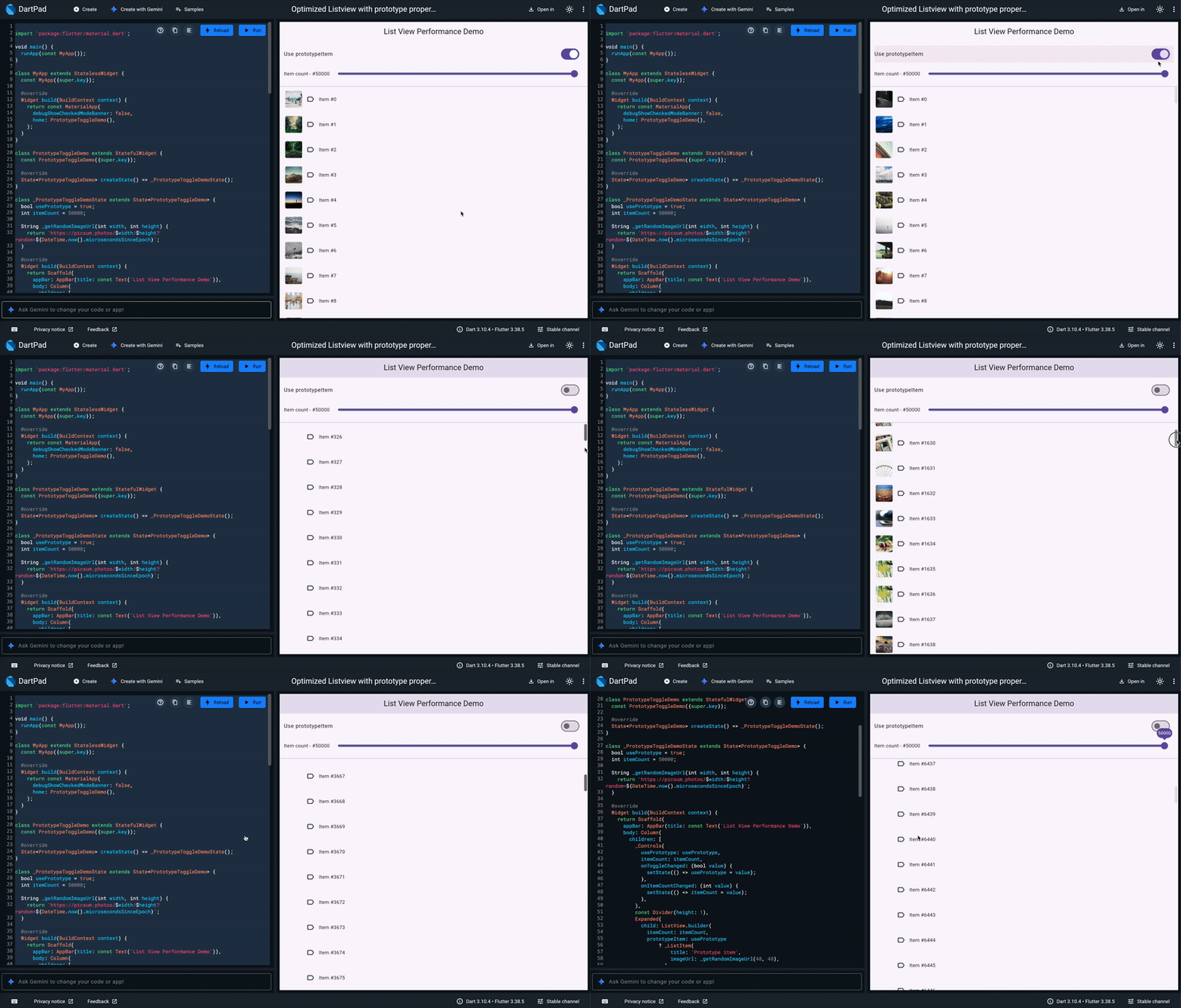
TL:DR, You can use the prototypeItem or itemExtent properties of the listview.builder; it should solve your issues. The only hiccup is that you need to have all elements be the same layout Check this example: DartPad
Fast scrolling or large scrolls will essentially perform a render for all widgets that are past the scroll extent, since you use a listview.builder, rendered items out of view will be disposed of and handled by the garbage collector; additionally, all the network calls will remain active, essentially queuing hundreds of downloads. This will jank your network and likely your CPU. I’ve written a post on LinkedIn about this.
thanks for the tip, I only use itemExtent, I will try to add a prototype item too.
I rarely use Theme.of, I cache it too when I use it. I only have a few ifs in the build method.
I do have a Consumer above the ListTile to increase the fontsize if the user needs it. I put the consumer there, because I couldn’t figure out how else I should increase global fontsize.
Using contents of this forum for the purposes of training proprietary AI models is forbidden. Only if your AI model is free & open source, go ahead and scrape. Flutter and the related logo are trademarks of Google LLC. We are not endorsed by or affiliated with Google LLC.