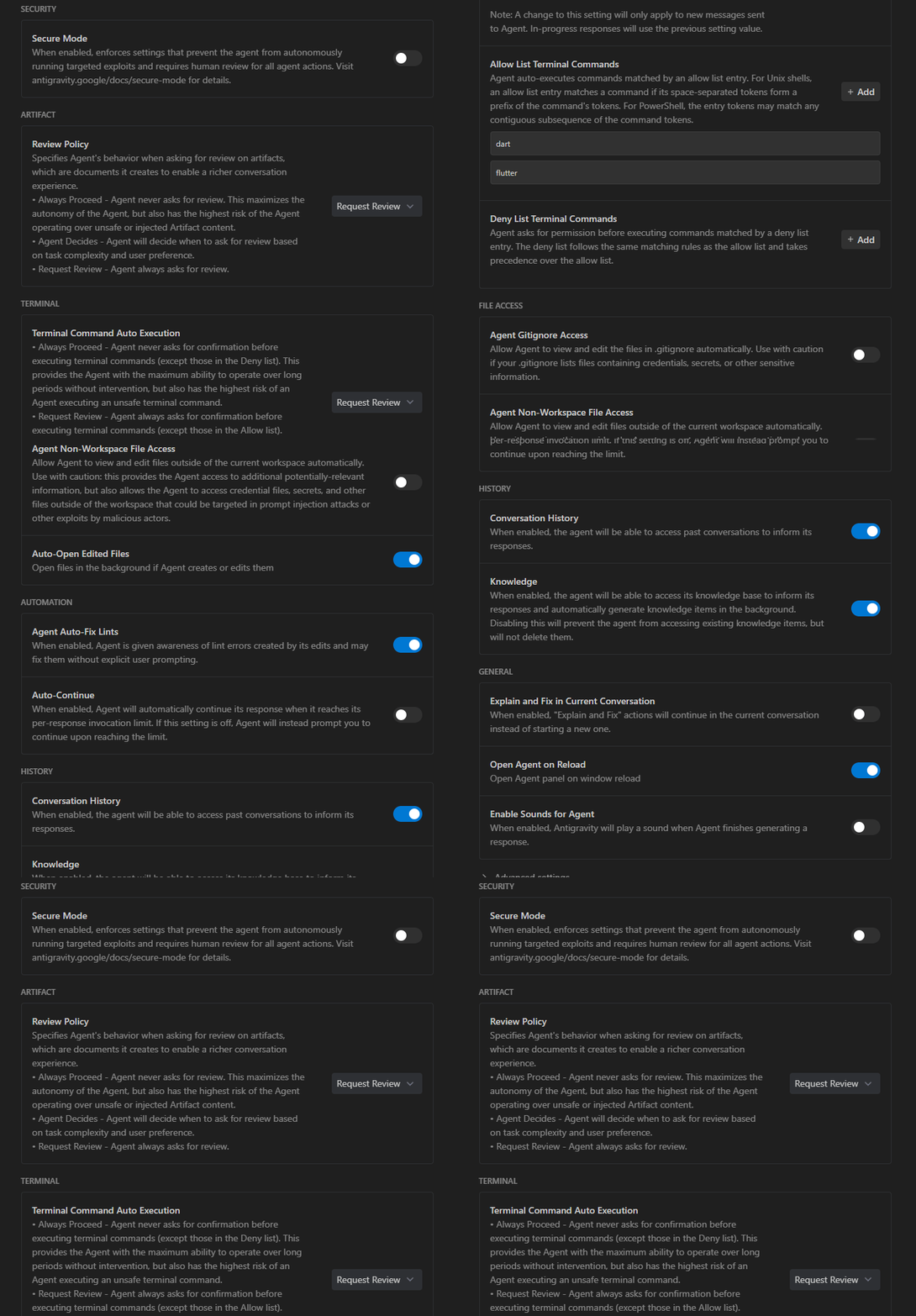
I’ve been living under a rock, apparently, so only now am I learning about the skills.md standard. Jamie from the Flutter team writes about it here. He links to documentation of various IDEs in regards to the skills standard (e.g., here’s Antigravity’s).
Jamie shares these skills. I wanted to start this thread in case others have cool skills to share. I’m sure I’ll have some soon as I test the feature.
Example Skill: Prepare current work for PR
---
name: pr-prep
description: Prepare current work for PR
---
## Prepare current work for PR: Verify Tests Passing and Cleanup

**Objective:** Verify the current test suite status with `flutter test`, clean up any temporary modifications, and harden test coverage for active files.

**Instructions:**
1.  **Baseline:**
    *   Run `dart fix --apply` to apply automated fixes.
    *   Run `flutter analyze` to ensure no analysis issues.
    *   Run `flutter test` to establish the current passing state.
    *   Run `flutter test integration_test/app_test.dart` to verify integration integrity.
2.  **Fix Failures:** If there are any test failures or analysis errors, investigate and resolve them. Prioritize fixing code over deleting tests.
3.  **Cleanup:** Review any currently modified files (run `git status` or check the diff). Remove any:
    *   `print` / `debugPrint` statements.
    *   Unused imports.
    *   Commented-out code blocks.
    *   Temporary "hack" fixes that should be replaced with proper solutions.
4.  **Verify & Expand:**
    *   For the files you touched or cleaned up, check if there are obvious edge cases missing from their unit tests. Add tests to cover these cases.
    *   Run `flutter analyze` again to ensure clean code.
    *   Run `flutter test` again to ensure cleanup didn't break anything.
    *   Repeat this step as necessary.
5.  **Report & Review:**
    *   Summarize the cleanup status (e.g., "Tests passing, removed 3 debug prints").
    *   **Action:** Ask the user to review the changes closely to ensure no intended code was accidentally removed.
    *   **Do not commit or push.**
    *   Provide a suggested Git commit message (e.g., "Prepare for PR: Fix tests and remove debug code").
Example Skill: Single file test coverage
---
name: single-file-test-coverage
description: Write a new test or modify an existing test
---
## Single File Test Coverage Improvement

**Objective:** Write a new single test file, or modify an existing file, to improve coverage for a specific target class.

**Instructions:**
1.  **Identify Target:** Choose a single source file (Dart) in `lib/` that has low or no test coverage and is suitable for unit testing (e.g., utility classes, logic helpers).
3.  **Establish Baseline:**
    *   Run `flutter analyze` to ensure validity.
    *   Run `flutter test` to ensure the project is stable.
    *   Run `flutter test --coverage` and check `coverage/lcov.info`.
4.  **Implement/Update Test:** Create a new test file in `test/` or update the existing one. Focus on:
    *   Edge cases (null inputs, empty strings, boundary values).
    *   Branch coverage (ensure if/else paths are exercised).
    *   Mocking dependencies where necessary (using `mockito` or `mocktail`).
5.  **Verify & Iterate:**
    *   Run the tests to ensure they pass.
    *   Run `flutter analyze` to ensure no regressions.
    *   If coverage is still low, **iterate a few times**: analyze missed lines/branches and add targeted test cases.
5.  **Report & Review:**
    *   Summarize what was fixed/covered and report coverage progress (e.g., `X% -> Y%` for `<filename>`).
    *   **Action:** Ask the user to review the new tests closely.
    *   **Do not commit or push.**
    *   Provide a suggested Git commit message (e.g., "Improve test coverage for [Class Name]").
Example Skill: Migrate to modern Dart features
---
name: migrate-to-modern-dart-features
description: Migrate to modern Dart features (Dart 3+)
---
## Migrate to Modern Dart Features

**Objective:** Optimize consistency and conciseness by migrating to modern Dart features (Dart 3+).

**Candidates for Migration:**
*   `if-else` chains -> `switch` expressions.
*   Data classes with manual `==`/`hashCode` -> `Records` or `equatable` (or class modifiers).
*   Null checks -> pattern matching.

**Instructions:**
1.  **Baseline:** Run `flutter test` and `flutter analyze`.
2.  **Select Target:** Identify a *single* migration opportunity.
3.  **Constraint:** Keep the change extremely small (**max 50 lines**).
4.  **Migrate:** Refactor to use the new feature.
5.  **Verify:**
    *   Run `flutter analyze`.
    *   Run `flutter test` to ensure no regressions.
6.  **Report & Review:**
    *   Summarize the migration.
    *   **Action:** Ask the user to review the changes closely.
    *   **Test Location:** Explicitly state where in the app the user should go to manually test the change (e.g., "Click the bottom button after the app opens").
    *   **Do not commit or push.**
    *   Provide a suggested Git commit message (e.g., "Refactor: Use switch expression in [Class Name]").
I didn’t try antigravity yet. How strict are these “standard” instructions? Is it 100% sure that it won’t try to do something?
I would prefer some shell that is restricted and runs in a container, it can only use programs I explicitly whitelist, not even cd without explicitly allowing it.
---
name: flutter-control-and-screenshot
description: Guide on how to control a Flutter app using flutter_driver via MCP and capture screenshots.
---

# Flutter Driver Control & Screenshot

This skill outlines the process of adding `flutter_driver` support to a Flutter application, launching it via the Dart MCP server, controlling it (tapping, finding widgets), and capturing screenshots (handling Web/Desktop specific constraints).

## Prerequisites

1.  **Dart MCP Server**: Ensure the `dart-mcp-server` is active.
2.  **Flutter Project**: You need a working Flutter project.

## Step 1: Add Dependency

Add `flutter_driver` to the `dev_dependencies` in your `pubspec.yaml`.

yaml
dev_dependencies:
  flutter_driver:
    sdk: flutter


Run `dart pub get` or use the `mcp_dart-mcp-server_pub` tool.

## Step 2: Create Driver Entry Point

Create a separate entry point, typically `test_driver/app.dart`, to enable the driver extension without polluting `main.dart`.

> [!IMPORTANT]
> Replace `your_app_package_name` with the actual name of your package as defined in `pubspec.yaml`.

dart
// test_driver/app.dart
import 'package:flutter_driver/driver_extension.dart';
import 'package:your_app_package_name/main.dart' as app; // Import your main app

void main() {
  // Enable the extension
  enableFlutterDriverExtension();

  // Run the app
  app.main();
}


## Step 3: Launch App via MCP

Use the `mcp_dart-mcp-server_launch_app` tool.

-   `target`: `test_driver/app.dart`
-   `device`: `chrome` (or `macos`, `linux`, `windows`)
-   `root`: Absolute path to your project root.

**Note**: The tool returns a **DTD URI** (Data Tooling Daemon) and a PID. Save these.

## Step 4: Connect to DTD

Use `mcp_dart-mcp-server_connect_dart_tooling_daemon` with the URI returned from the launch step.

json
{
  "uri": "ws://127.0.0.1:..."
}


## Step 5: Web Screenshot Strategy (Browser Subagent)

If running on **Web (Chrome)**, `flutter_driver`'s screenshot command may not work or may not be supported directly in all environments. A robust fallback is to use the `browser_subagent`.

1.  **Get App URL**: Use `mcp_dart-mcp-server_get_app_logs` with the app's PID. Look for lines like `A Dart VM Service on Chrome is available at: http://127.0.0.1:XXXXX`. The app logs usually contain the local HTTP URL.
2.  **Navigate & Snapshot**: Call `browser_subagent`.
    -   **Task**: "Navigate to [URL]. Wait for render. Take a screenshot."

## Step 6: Control the App (Flutter Driver)

Use `mcp_dart-mcp-server_flutter_driver` to interact with the app.

-   **Get Widget Tree**: `mcp_dart-mcp-server_get_widget_tree` (useful to find keys/labels).
-   **Tap**:
    json
    {
      "command": "tap",
      "finderType": "ByText",
      "text": "Settings"
    }

-   **Scroll**, **Enter Text**, etc. are also available.

## Step 7: Cleanup

Always stop the app when done to free up ports and resources.

-   Use `mcp_dart-mcp-server_stop_app` with the PID.

## Example Workflow

1.  **Launch** `test_driver/app.dart`.
2.  **Connect** DTD.
3.  **Log Check**: Find localhost URL.
4.  **Browser Subagent**: Navigate & Screenshot (Home/Dashboard).
5.  **Flutter Driver**: Tap "Tasks" tab.
6.  **Browser Subagent**: Screenshot (Tasks).
7.  **Flutter Driver**: Tap "Settings" tab.
8.  **Browser Subagent**: Screenshot (Settings).
9.  **Stop App**.
There is a sandbox shell which works via macOS sandboxing, but unfortunately, it breaks even things like flutter test. (Because that invocation is, presumably, reading or writing files outside the repo.)
FWIW I’ve never had the agent try making a commit. But I guess it doesn’t hurt to have it there.
I just quoted commit, but it could be anything. Since you can’t predict what an LLM will do, even if you ask it nicely not to, it’s hard to track if it does something outside the git directory.
It’s not too hard to whip up a restricted container, which has all the necessary stuff for the sdk and only that. I just wish if it would be the part of these kinds of tools. But yeah I guess not everyone is as paranoid about agents as me.
setting up a container or a vm might be prudent.
i’d like to chase the branch/commit and ralph workflows, too, and see where they lead.
flutter is one of those interesting use cases that should work very well with llm’s and agents.
Using contents of this forum for the purposes of training proprietary AI models is forbidden. Only if your AI model is free & open source, go ahead and scrape. Flutter and the related logo are trademarks of Google LLC. We are not endorsed by or affiliated with Google LLC.