textf – Inline Text Formatting with Flutter’s Text API

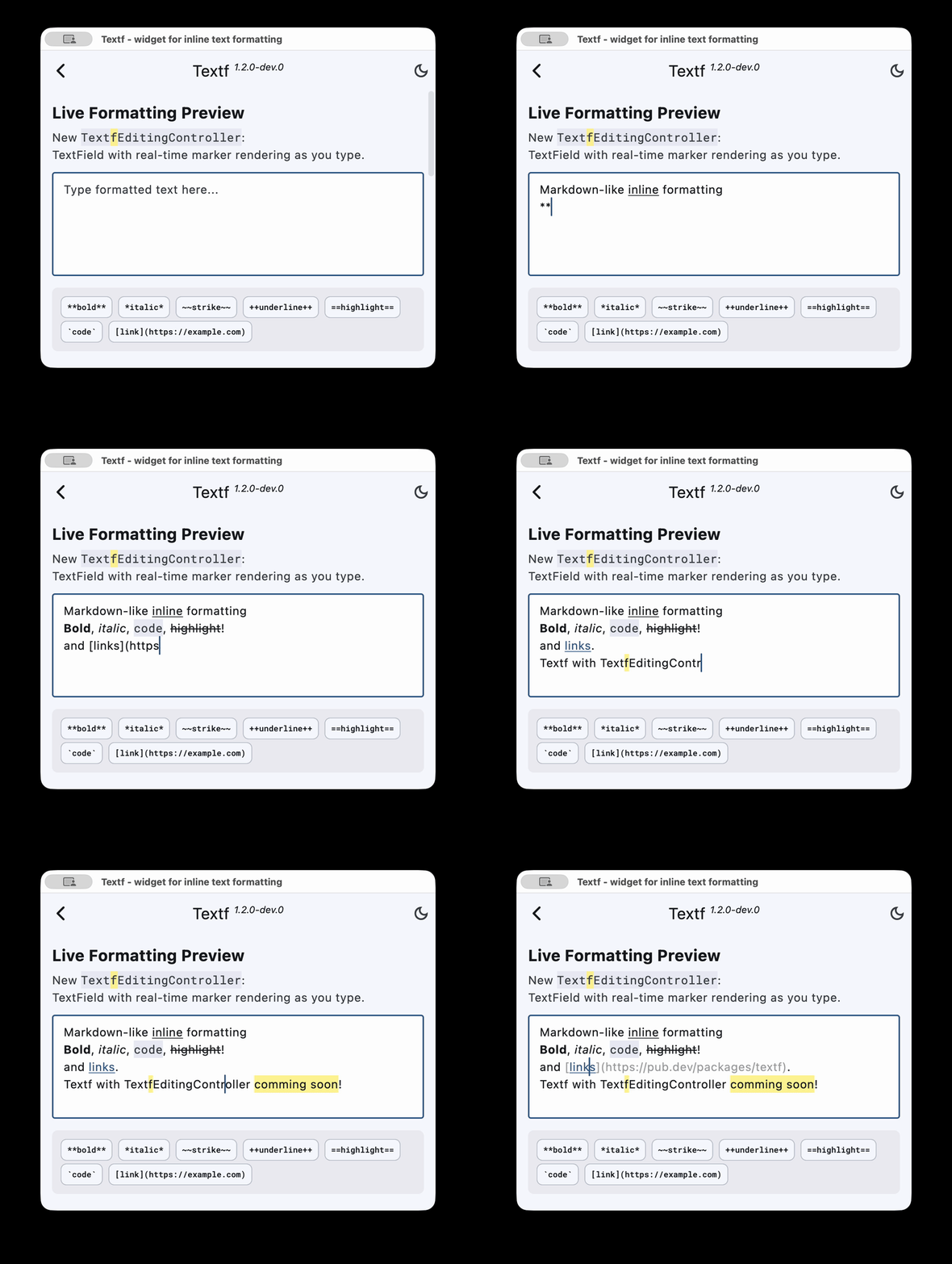
textf is a lightweight Flutter widget for simple Markdown-like inline formatting .
Same API as Flutter’s Text — No boilerplate. No TextSpan pain. Just Textf.

Textf(
  'Hello **bold** *italic* ~~strike~~ `code` [Flutter](https://flutter.dev)',
  style: TextStyle(fontSize: 16),
)

Why use textf?

  • API-compatible with Text
  • Theme-aware – links and inline code adapt to your app’s ThemeData
  • Optional customization via TextfOptions
  • i18n – format strings stay translator-friendly
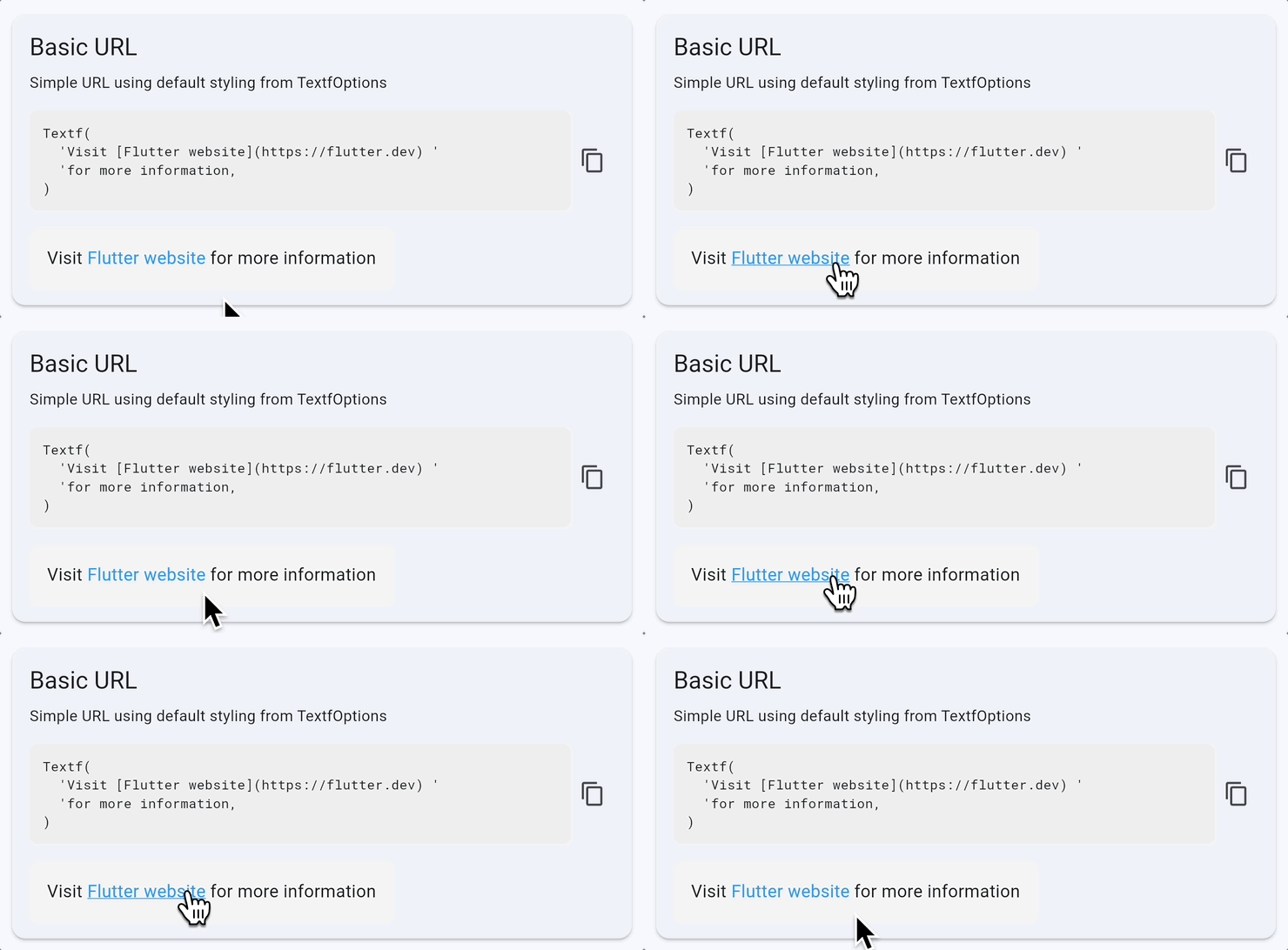
  • Interactive links made easy – with hover styling and mouse cursor support

Interactive links made easy

Note: textf is not a replacement for full Markdown renderers. It’s purpose-built for cases where you need just inline formatting — not headings, lists, or block layout.

GitHub | pub.dev

Questions or feedback welcome!

7 Likes

seems more user friendly than richtext

Textf v0.4.1 is here! Just added:
:sparkles: ++Underline++ support
:sparkles: ==Highlighting== (theme-aware!)

Same API as Flutter’s Text Widget.

Textf('Hello ==flutter== and **dart**!')
Textf('Visit [Flutter website](https://flutter.dev)')
2 Likes

Textf 1.0 Released - Lightweight Inline Text Formatting for Flutter

I built Textf - a drop-in replacement for Flutter’s Text widget that adds inline formatting without the overhead of full Markdown packages.


Quick Example

// Before: TextSpan nesting
Text.rich(
  TextSpan(children: [
    TextSpan(text: 'Hello '),
    TextSpan(text: 'world', style: TextStyle(fontWeight: FontWeight.bold)),
  ]),
)

// After: Just a string
Textf('Hello **world**')

All your existing Text parameters work: style, textAlign, maxLines, overflow


Key Features

Feature Details
Blazing Fast +0.06ms overhead per widget. Text without markers skips parsing entirely.
All-in-One String No TextSpan trees. Formatting lives in the string: **bold**, *italic*, ~~strike~~
Interactive Links [text](url) with tap handlers and hover effects. Formatting inside links works too.
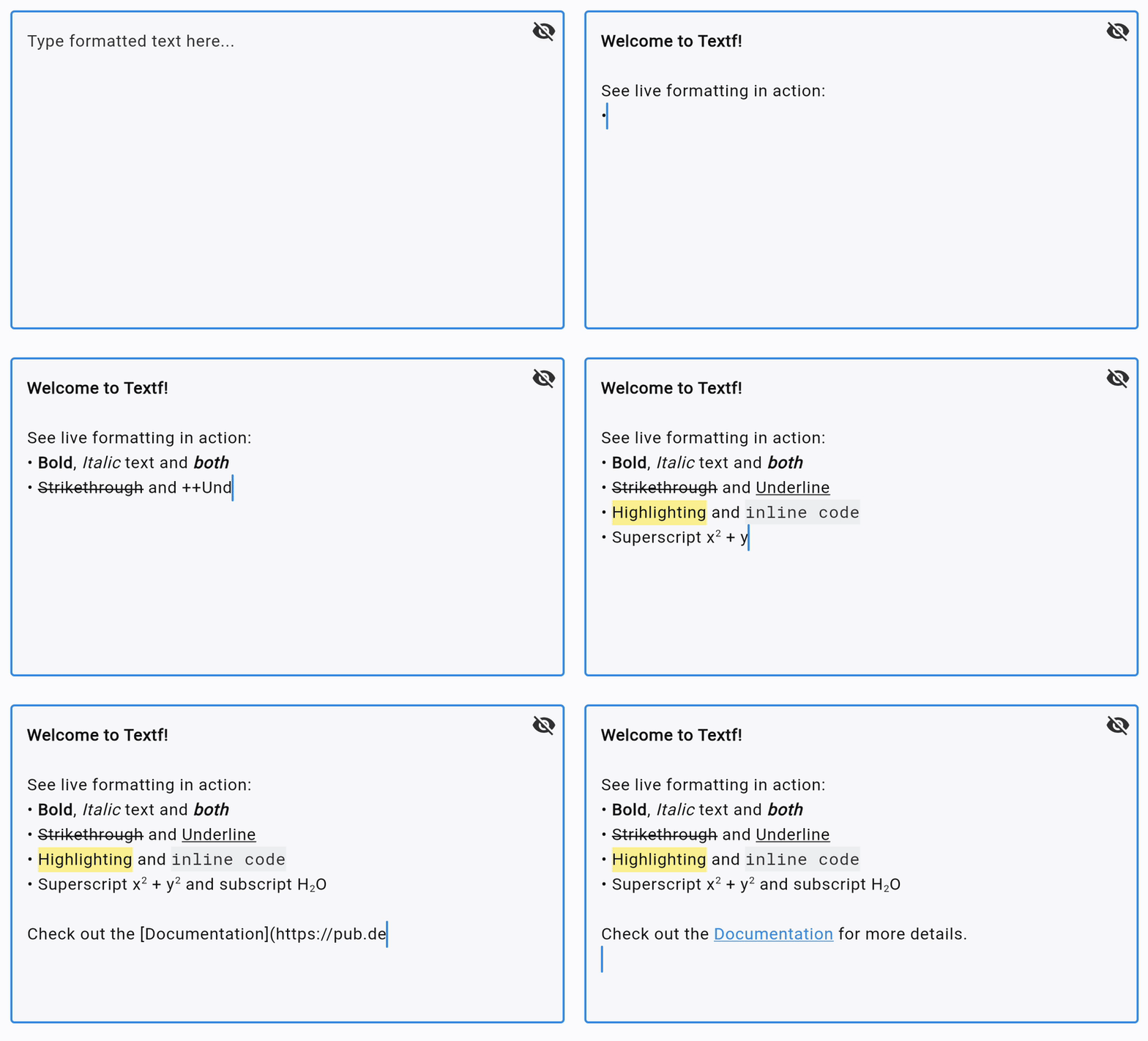
Superscript & Subscript E = mc^2^ and H~2~O - finally!
Zero Dependencies No bloat. Just Flutter SDK.
Full Theming Control TextfOptions lets you customize every format type. Inherits from your ThemeData.
Accessible Supports dynamic text scaling and screen readers out of the box.

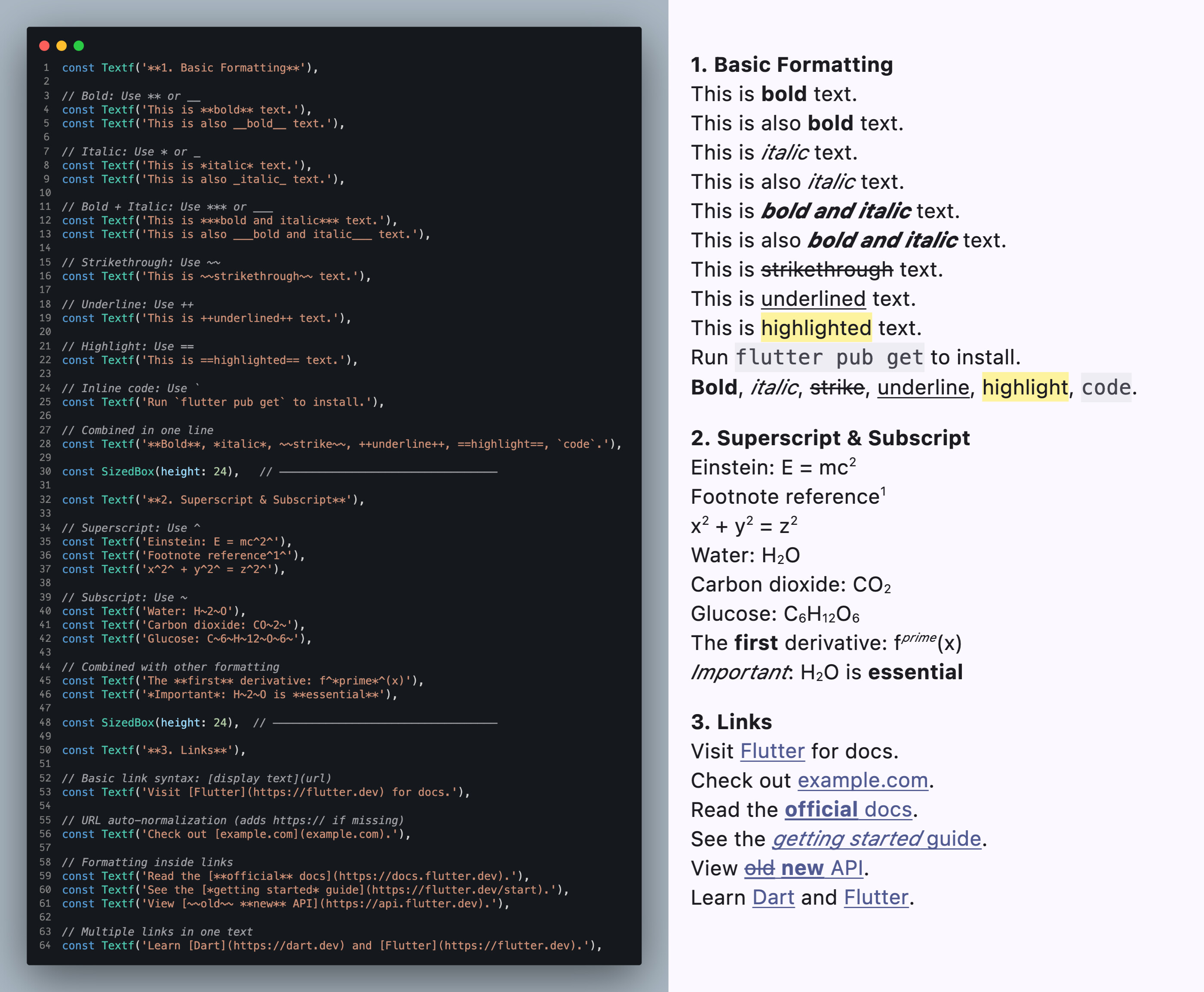
Supported Formatting

Textf('**bold** *italic* ~~strike~~ ++underline++ ==highlight== `code`')
Textf('Superscript: x^2^ - Subscript: H~2~O')
Textf('Links: [Flutter](https://flutter.dev)')
Textf('Nested: **bold with _italic_ inside**')


Custom Styling

// Override individual format styles
TextfOptions(
  boldStyle: TextStyle(fontWeight: FontWeight.w900, color: Colors.deepOrange),
  italicStyle: TextStyle(fontStyle: FontStyle.italic, color: Colors.purple),
  strikethroughStyle: TextStyle(
    decoration: TextDecoration.lineThrough,
    decorationColor: Colors.red,
    decorationThickness: 2,
    color: Colors.grey,
  ),
  underlineStyle: TextStyle(
    decoration: TextDecoration.underline,
    decorationColor: Colors.blue,
    decorationStyle: TextDecorationStyle.wavy,
  ),
  highlightStyle: TextStyle(
    backgroundColor: Colors.lightBlue.shade200,
    color: Colors.black87,
    fontWeight: FontWeight.w600,
  ),
  codeStyle: TextStyle(
    fontFamily: 'monospace',
    backgroundColor: Colors.grey.shade200,
    color: Colors.pink.shade700,
  ),
  child: Textf(
    '**Bold** *italic* ~~strike~~ '
    '++underline++ ==highlight== `code`',
  ),
),

// Custom superscript/subscript styling
TextfOptions(
  superscriptStyle: TextStyle(color: Colors.blue, fontWeight: FontWeight.bold),
  subscriptStyle: TextStyle(color: Colors.green, fontWeight: FontWeight.bold),
  // Adjust size factor (default: 0.6)
  scriptFontSizeFactor: 0.7,
  // Adjust baseline offset (default: 0.4)
  superscriptBaselineFactor: 0.5,
  subscriptBaselineFactor: 0.3,
  child: Textf('Custom: E = mc^2^ and H~2~O'),
),

When to Use Textf

:white_check_mark: Chat messages, comments, notifications, tooltips, product descriptions, i18n strings

:cross_mark: Full documents with headings, lists, images, tables (use a Markdown package for that)


Links


Feedback, issues, and PRs welcome! Let me know what you think. :raising_hands:

4 Likes

Being using it for some time now. It’s awesome. A simple extra f in a widget and you have formatting (i.e.: it’s a perfect replacement for Text, same interface).

It could use some enhancements:

  1. I just could not figure out links (for example, adding a mailto:bill.gates@microsoft.com?subject=STOP+THE+AI+SLOP doesn’t open my mail client).

  2. It would be awesome if we could specify font name somehow (that would allow us to render icons, since IconData contains font name and unit code).

  3. Colors would be a nice addition as well (I made a markdown extension some time ago where you could use (#ff3301)[This text is red])

  4. Since we’re in Flutter, it would be nice to allow rendering asset images somehow (maybe the default markdown image could work for assets, example: ![](asset://assets/img/something.jpg)) I see you use Text.rich to render textf, so any widget would be possible using WidgetSpan, right?

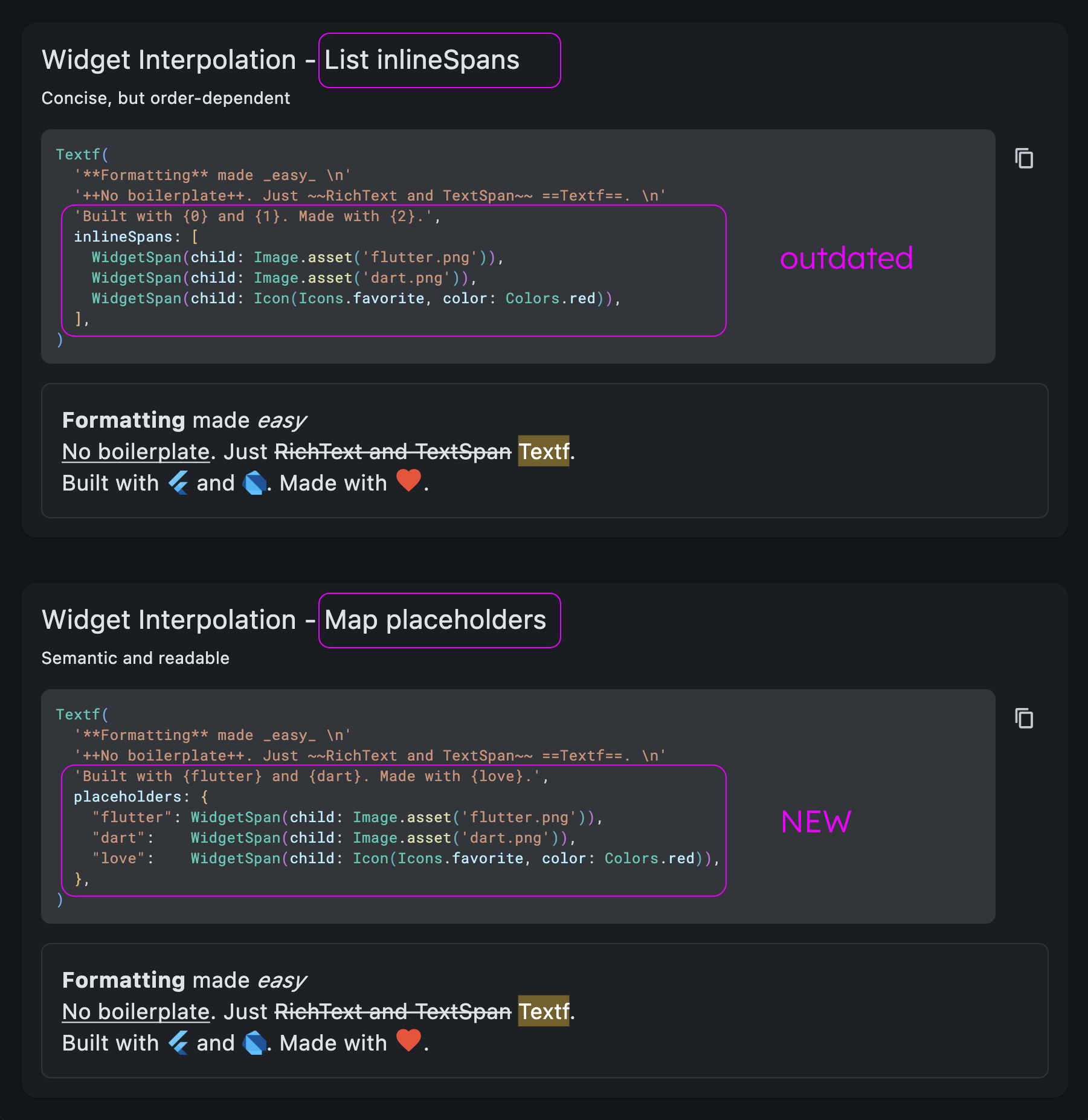
  5. sprintf accept some %s as placeholders. Same for SQLite ?. What if we had a widgets property in TextF that would replace some placeholder in text for those widgets. Example:

Textf(
  "Here are some widgets: ##1, ##2 and ##3",
  widgets: [
    Icon(Icons.arrowLeft),
    Text("Hello world!"),
    Image.asset("assets/rolleyes.png"),
  ]
);

That would render Here are some widgets: ←, Hello world! and 🙄.

BTW, the last idea could really support only InlineSpan, so we would have some placeholders that would only attach spans to the existing Text.rich. That would cover icons, colors, images, etc.

2 Likes

Thanks so much for the feedback! I’m really glad to hear textf is working well as a drop-in replacement for you - that was exactly the goal.

Regarding your enhancement suggestions, here is a detailed look:

1. Regarding mailto: links
In v1.0, the parser correctly identifies the protocol (it doesn’t strip it), but the actual action - opening the mail client - is the developer’s responsibility via the callback. This keeps textf zero-dependency - you choose your URL launcher..

You likely need the url_launcher package, which requires specific configuration in your AndroidManifest.xml and Info.plist to handle schemes like mailto.

Here is how you would implement it:

TextfOptions(
  onLinkTap: (url, displayText) async {
    // using url_launcher package
    final uri = Uri.parse(url);
    if (await canLaunchUrl(uri)) {
      await launchUrl(uri);
    }
  },
  child: Textf('[Email Bill](mailto:bill.gates@microsoft.com?subject=Hello)'),
)

2. Specifying Font Names
Could you explain this one a bit more? Are you looking to change the font family mid-sentence for stylistic reasons, or is this specifically to render Icon fonts using char codes? (See point #5 below for a potential solution to this!)

3. Inline Colors
This is a very common request! However, textf is designed to be “theme-aware” by default. Hardcoding hex colors in a string (e.g., (#000000)[Text]) often breaks Dark/Light mode adaptability.

While it is high utility, it breaks the separation of concerns (content vs. styling). I am currently thinking about a middle ground: supporting named style tokens (like {warning}text{/warning}) that map to styles defined in TextfOptions rather than raw hex codes. This would keep your logic clean and themeable.

4. Asset Images
My goal with textf is to remain lightweight and “Flutter-native.” Adding inline image rendering moves the package significantly closer to being a “full Markdown renderer.” That introduces layout complexity (line heights, image loading, caching) that I want to avoid to keep the package fast and focused on text.

5. Widget Placeholders
This is a brilliant idea :glowing_star:. You’ve actually proposed a solution that solves Points 2, 3, and 4 simultaneously!
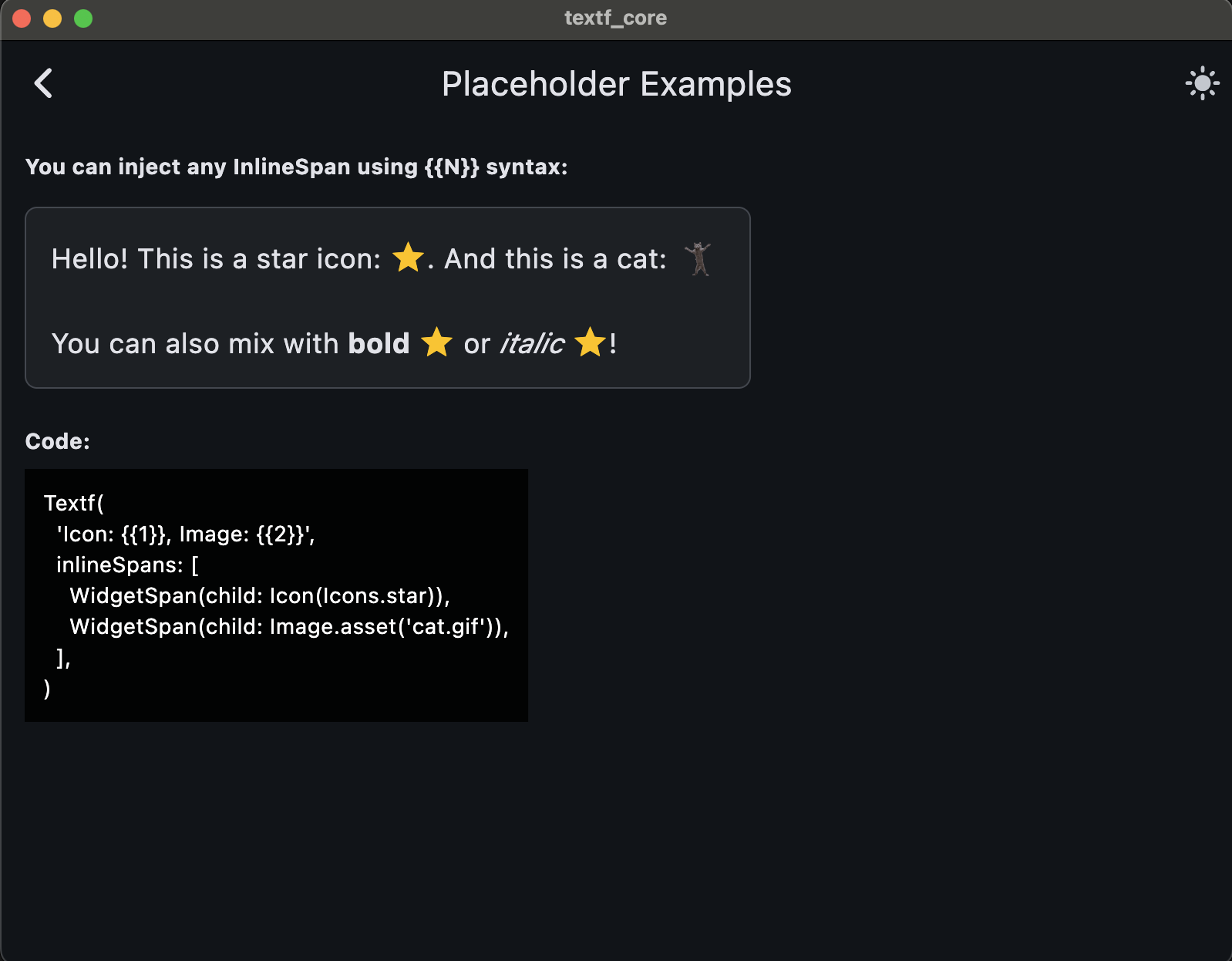
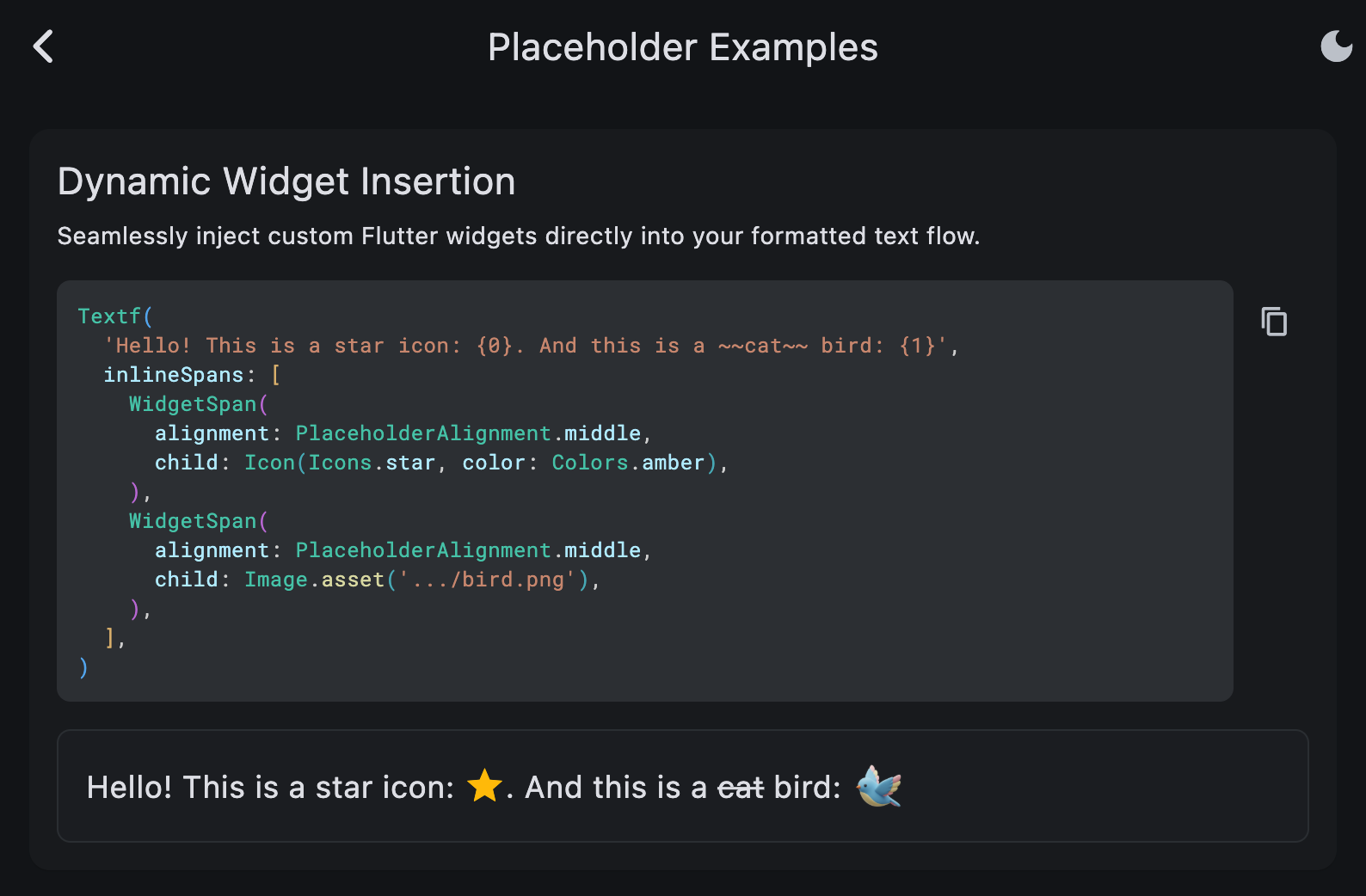
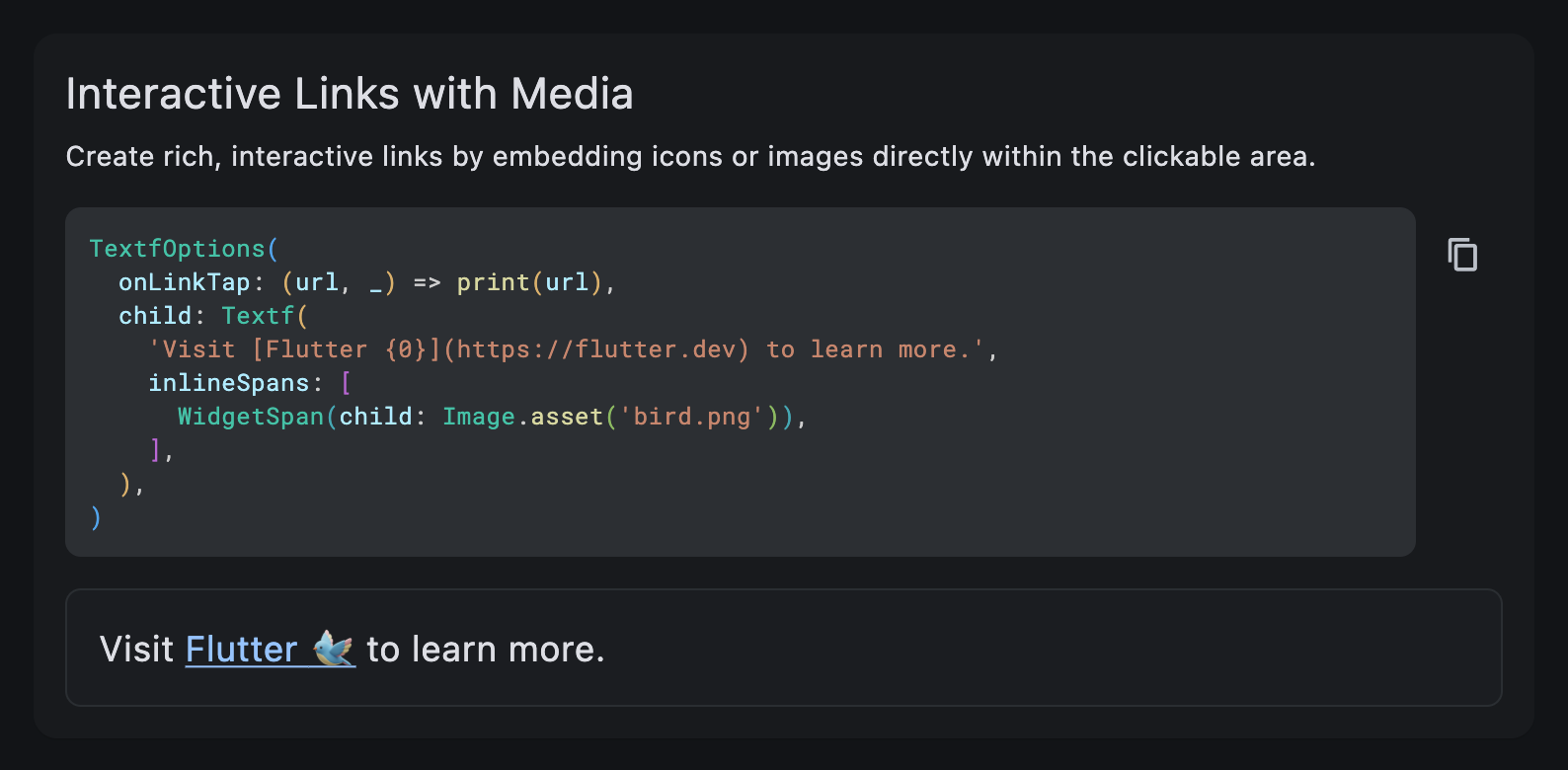
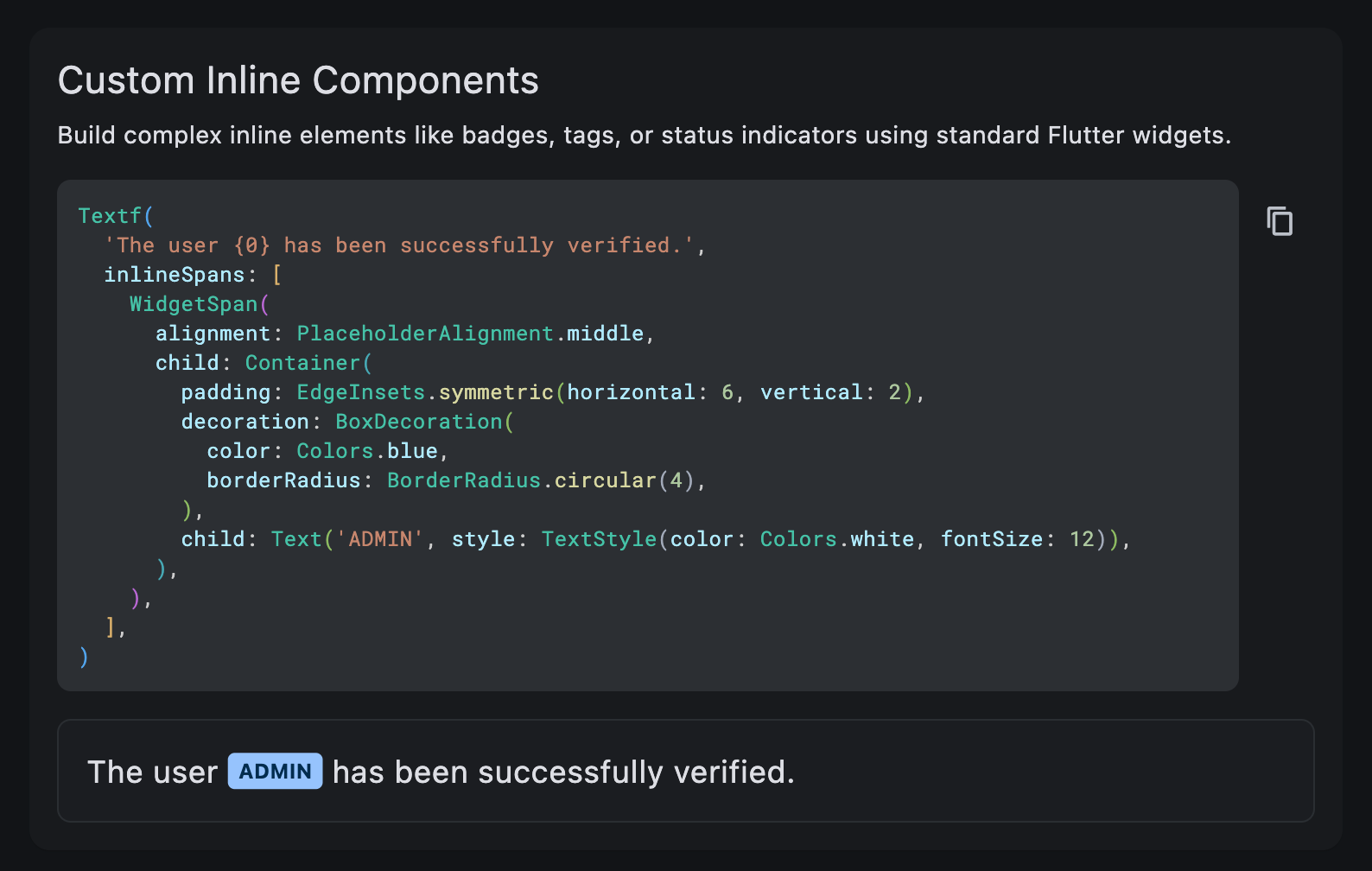
By allowing widget placeholders (like ##1 or {0}), we could inject Icons (solving your font issue), Colored Text (solving the color issue), or Images (solving the asset issue) without bloating the text parser or inventing a new CSS-like syntax.

It keeps the parser simple and keeps the UI logic in Dart where it belongs. I am definitely adding this to the roadmap for investigation. Thanks again for taking the time to write such detailed feedback—this kind of input is invaluable!

1 Like

Thanks.