I’m quite excited to share something I’ve been working on.
This is a grid layout package for building dashboards.
Context:
I tried some existing grid packages but never been completely satisfied:
some have poor performance (no itembuilder etc), or
missing features (drag/drop, smart rearranging items)
require additional packages to add features like drag/drop for instance.
no updates
frustrating to see JS ecosystem with full featured grid packages although some of them are also in maintenance mode ^^
I’ve been using the “dashboard” package for a while, it was convenient but no more updates, had to tweak its code, miss features too.
So, I created my own, from scratch, all batteries included.
Description:
Provides a robust foundation for building dynamic, user-configurable layouts, like analytics dashboards, IoT control panels, project management tools (kanban..), or any application that requires a draggable and resizable grid layout.
Features:
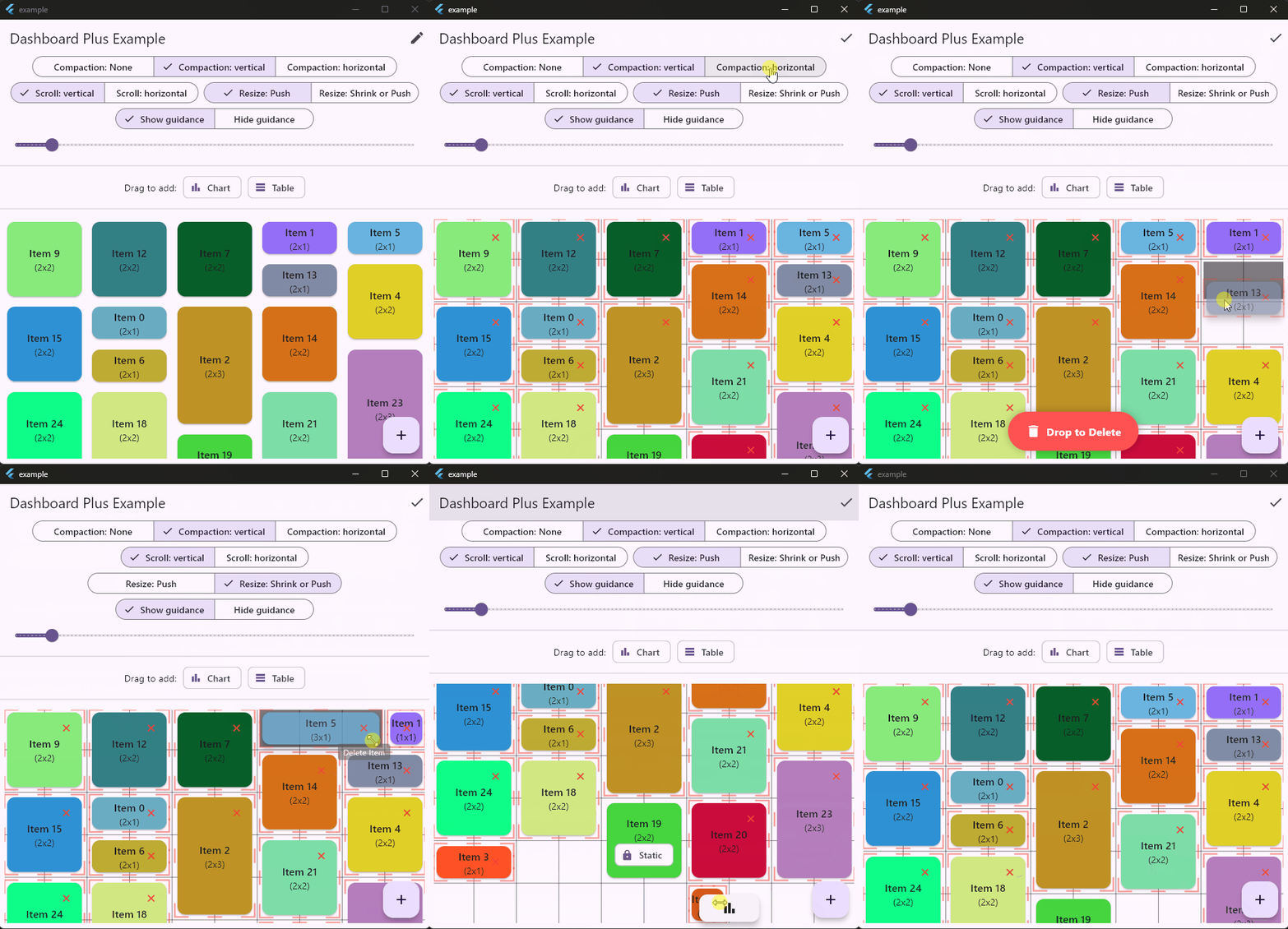
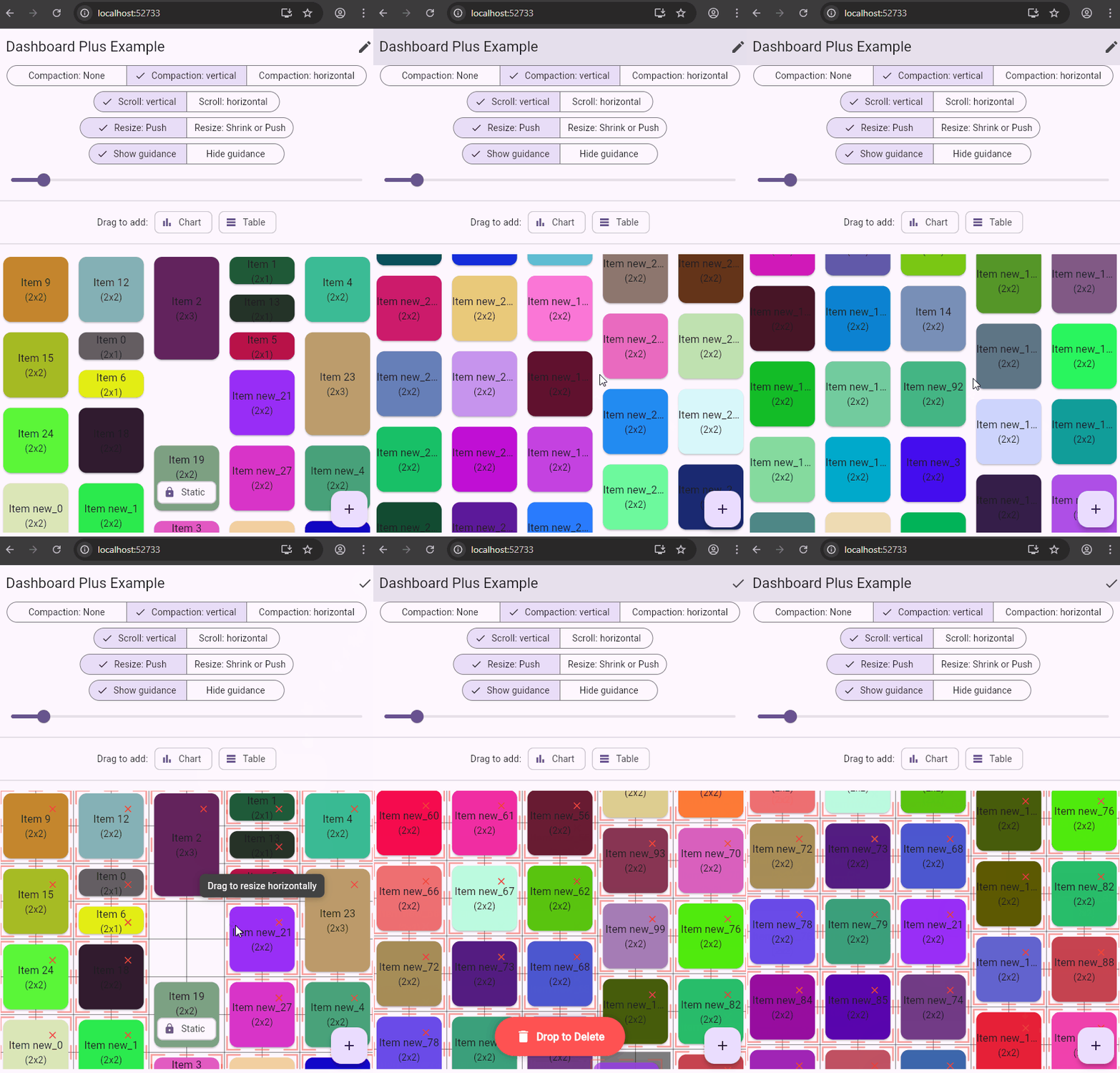
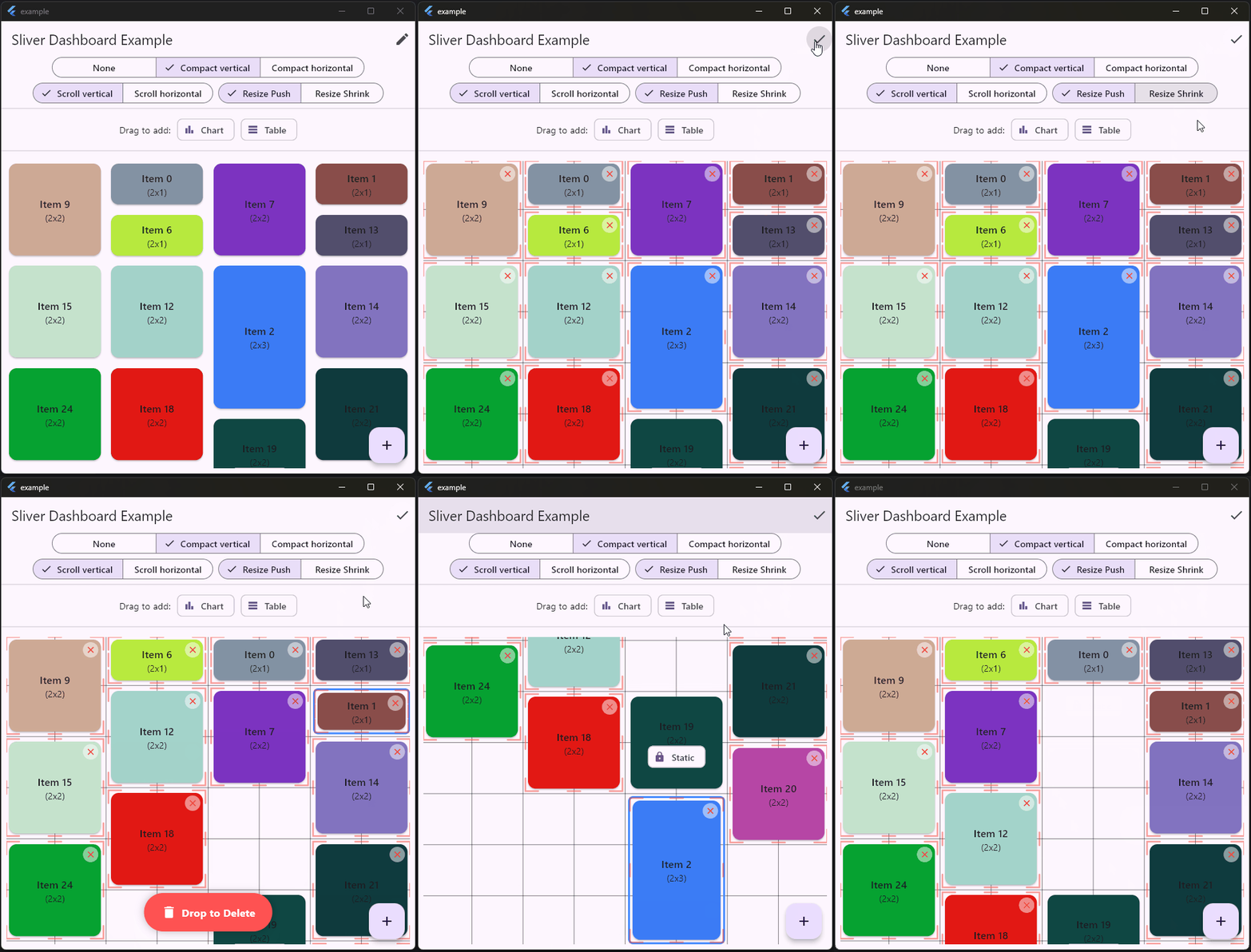
Performant: Built on Flutter’s Sliver protocol with smart caching. It only renders visible items and prevents unnecessary rebuilds of children during drag/resize operations.
Fully Customizable: Control the number of columns, aspect ratio, spacing, grid and handles style. Items can be draggable, resizable, and static.
Horizontal & Vertical Layouts: Supports both vertical (default) and horizontal scrolling directions.
Smart Collision Detection: Choose your desired behavior:
Push: Items push each other out of the way to avoid overlap.
Push or Shrink: Items can be shrinked or pushed when resizing a neighbour item. In Shrink mode, if neighbour item has not enough space, then it will be pushed.
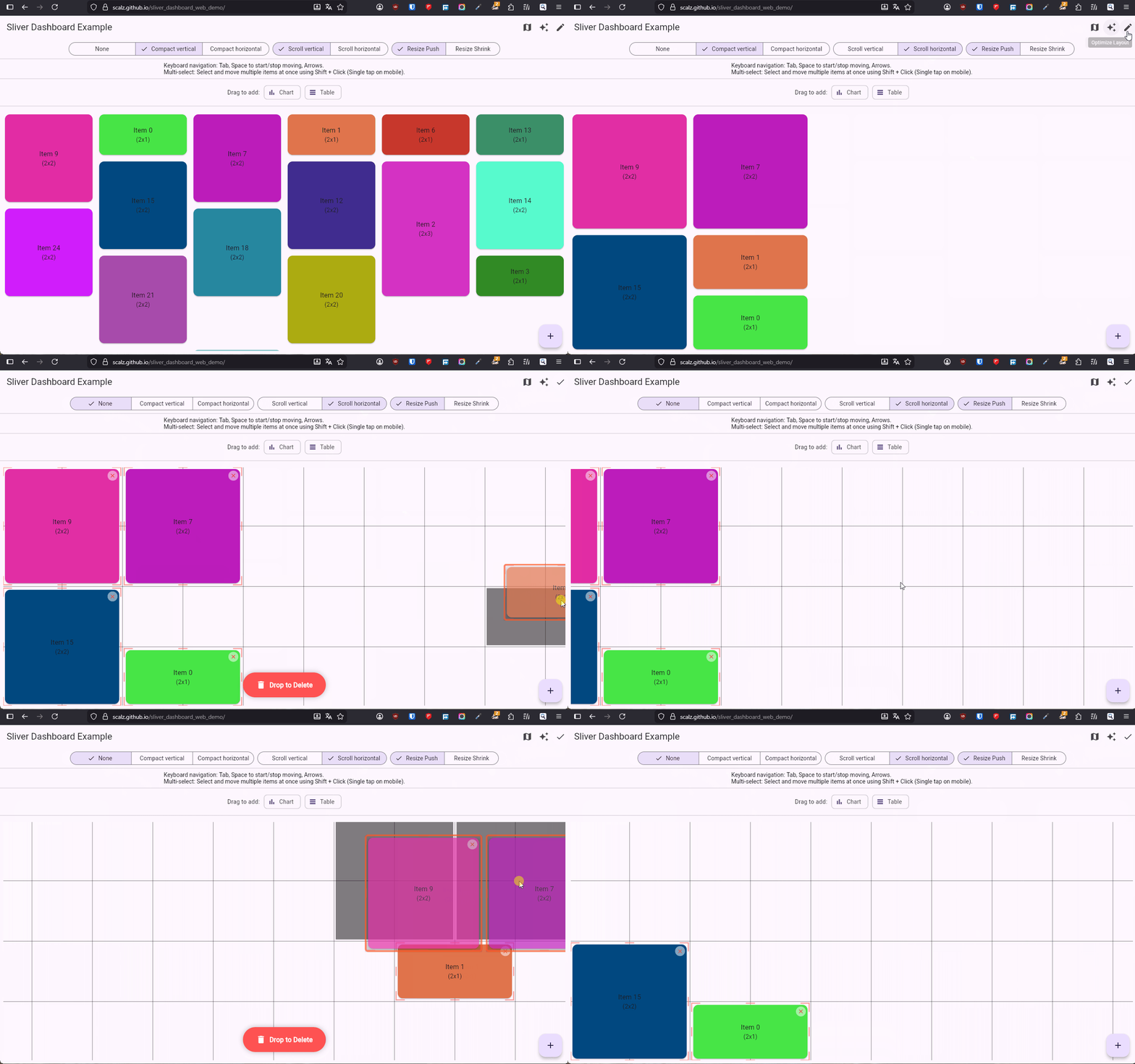
Quick demo (video size is limited to show all features)
I’ve been hesitating to share it, because I miss time for helping others, but I’ll do it with the hope that some people will be interested to contribute
I’m planning to publish it this week I think. I just need to polish one last usecase (drop an item from the dashboard to a special “group” item with its own dashboard (like a folder) without the group item being pushed when I hover it while dragging.
I also need to find a better name, because this is not a fork and I’m not fan of the ‘_plus’ extension.
Documentation, tests etc, are ready.
I made it for the reasons I explained above, by testing packages, what I meant may become more obvious probably. I’m waiting for someone to show me a demo of a pub dev package with same features I showed in my demo (if there is one, I would use it and not release mine->no maintenance burden).
I’m not planning to make a comparison table, don’t have time to debate with others, I’m just gonna share my work you know, fix what I need, and if some people contribute then I might be more motivated to help.
I don’t even think that I will show it on reddit. I hesitated to show it here but this seems more peaceful, so here I am
But to answer to your question.
if you check flutter_layout_grid:
it doesn’t have an itemBuilder, instead it uses a List of Widget
not based on sliver (no reference to a CustomScrollview, sliver, or a SliverMultiBoxAdaptorWidget).
opened issues vs features I mentioned in my description
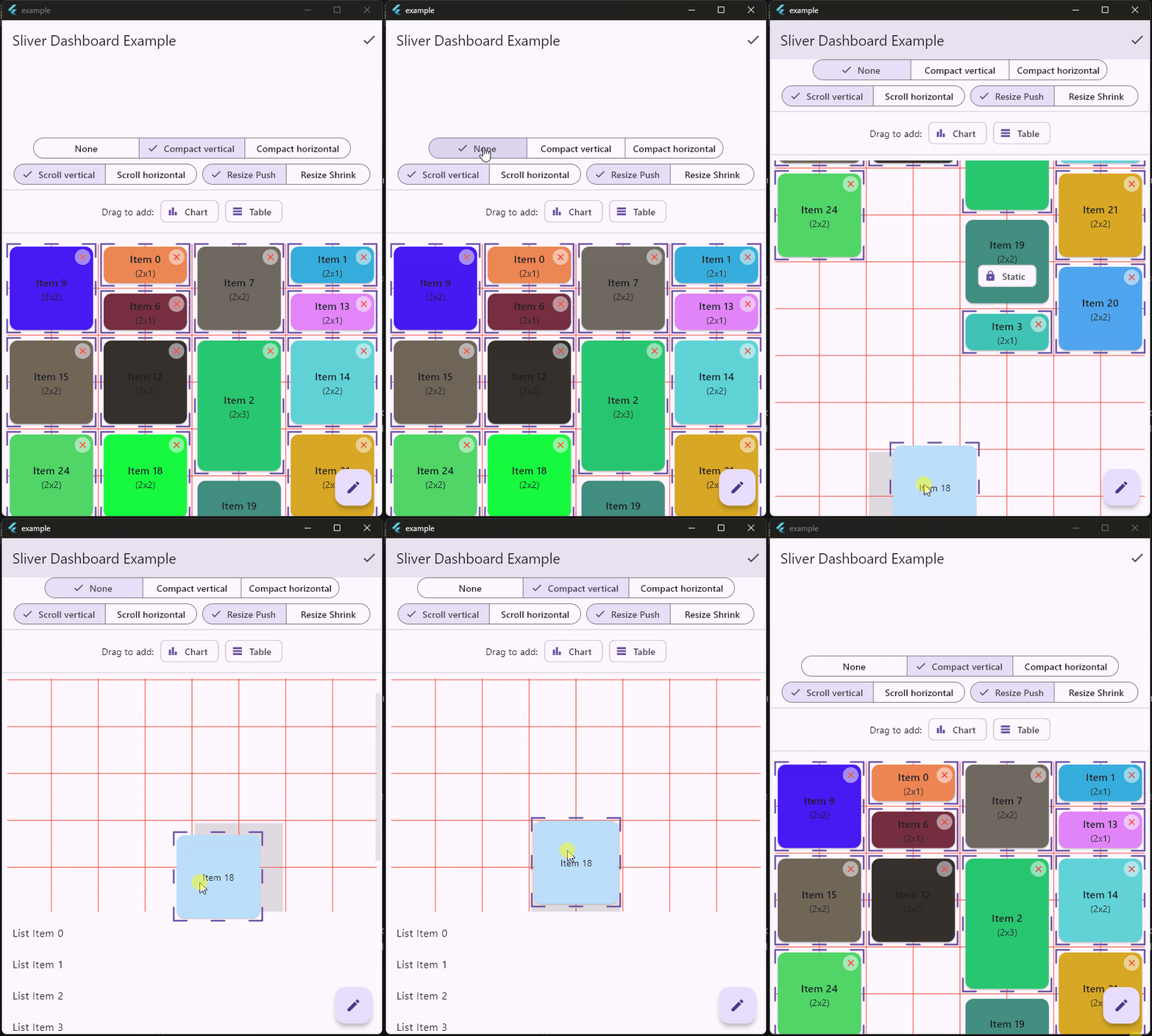
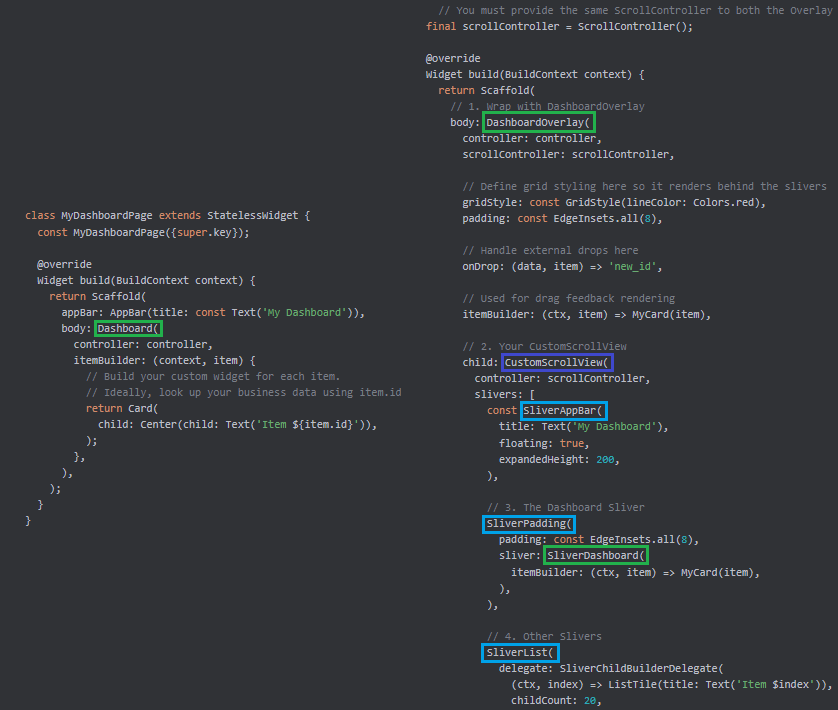
Atm my implementation, in the Dashboard widget, is using internally a CustomScrollView and SliverMultiBoxAdaptorWidget (for custom sliver). I plan to add another widget “SliverDashboard” (I have a poc), to make it composable in your CustomScrollView with other slivers like SliverAppBar, SliverList, or even multiple SliverDashboard why not.
And I’m currently working on a new widget for the package, to complete my roadmap:
“SliverDashboard” to compose seamlessly with SliverAppBar, SliverList..
I hope to get it right
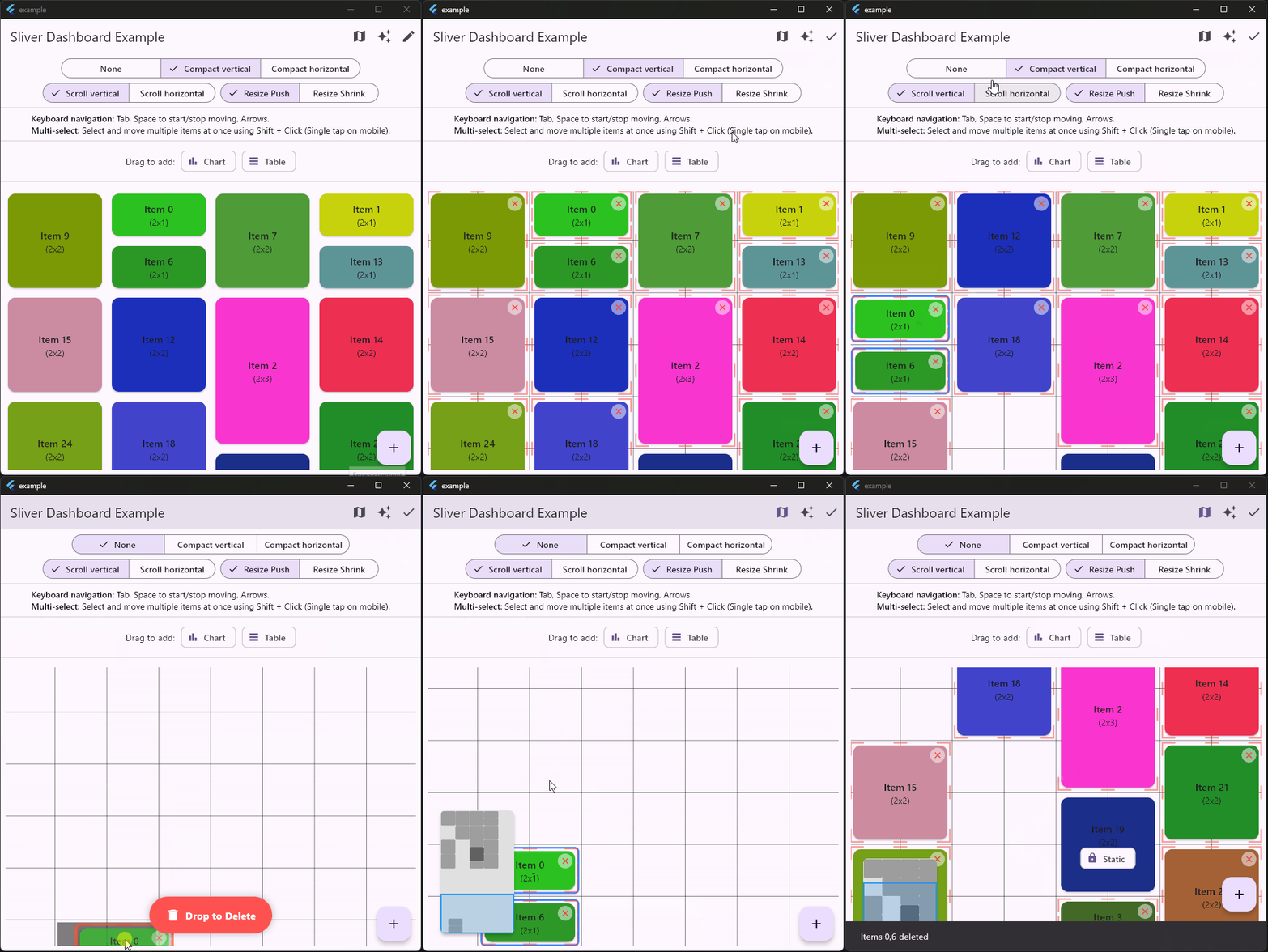
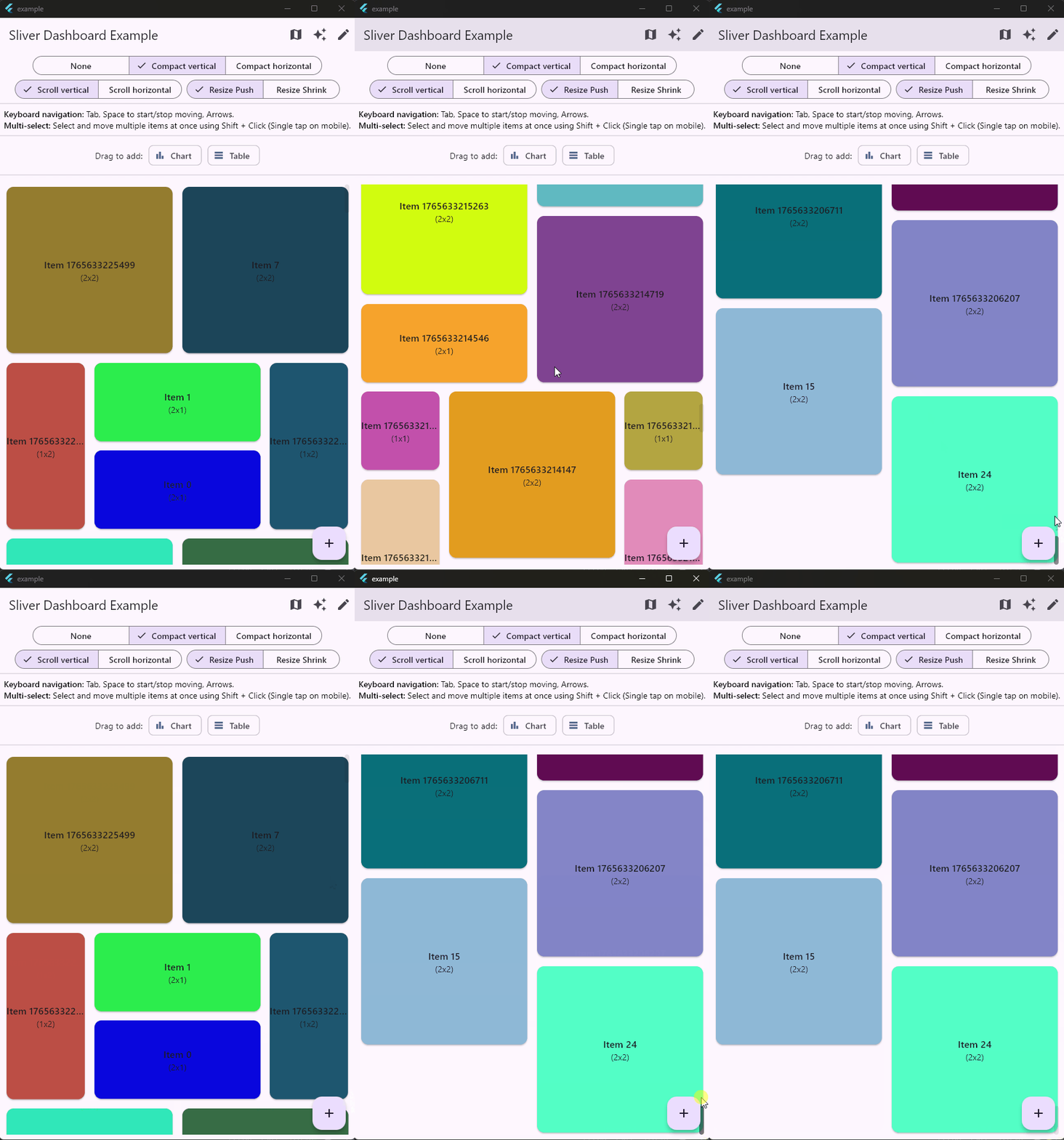
So far, SliverAppBar + SliverDashboard + SliverList:
Off topic, but how did you get the icons on the title bar? The whole window is rendered by flutter and you disabled the window decorations somehow? gtk has similar title bar icons
Scrolling direction is already implemented (and available on pub dev).
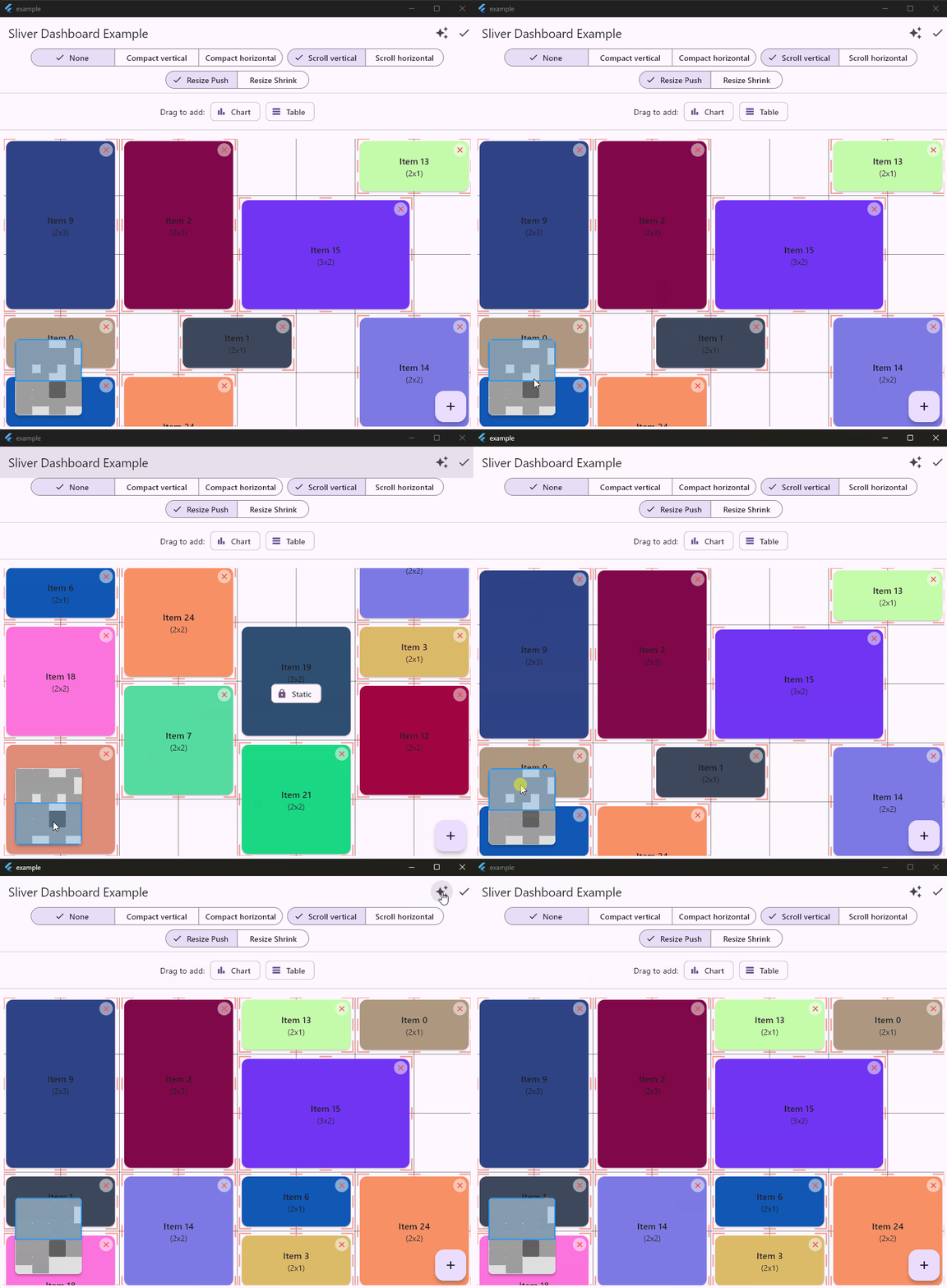
Take a look at options on top. In this example, I just don’t recalculate positions when switching direction. This is working as you can see below.
Choose compaction “none”, if you want to use free positioning.
Two remaining features to do in my roadmap + a final review, and it should be ok for 1.0
Edit: aaah! I misread your questions vertical AND horizontal. Indeed for the moment, it’s one or the other. Maybe in future. I dont’ need it but I will think about it (if someone is interested to contribute). What’s your usecase? I’ve never had the use for a dashboard with both scrolling enabled so far, but why not.
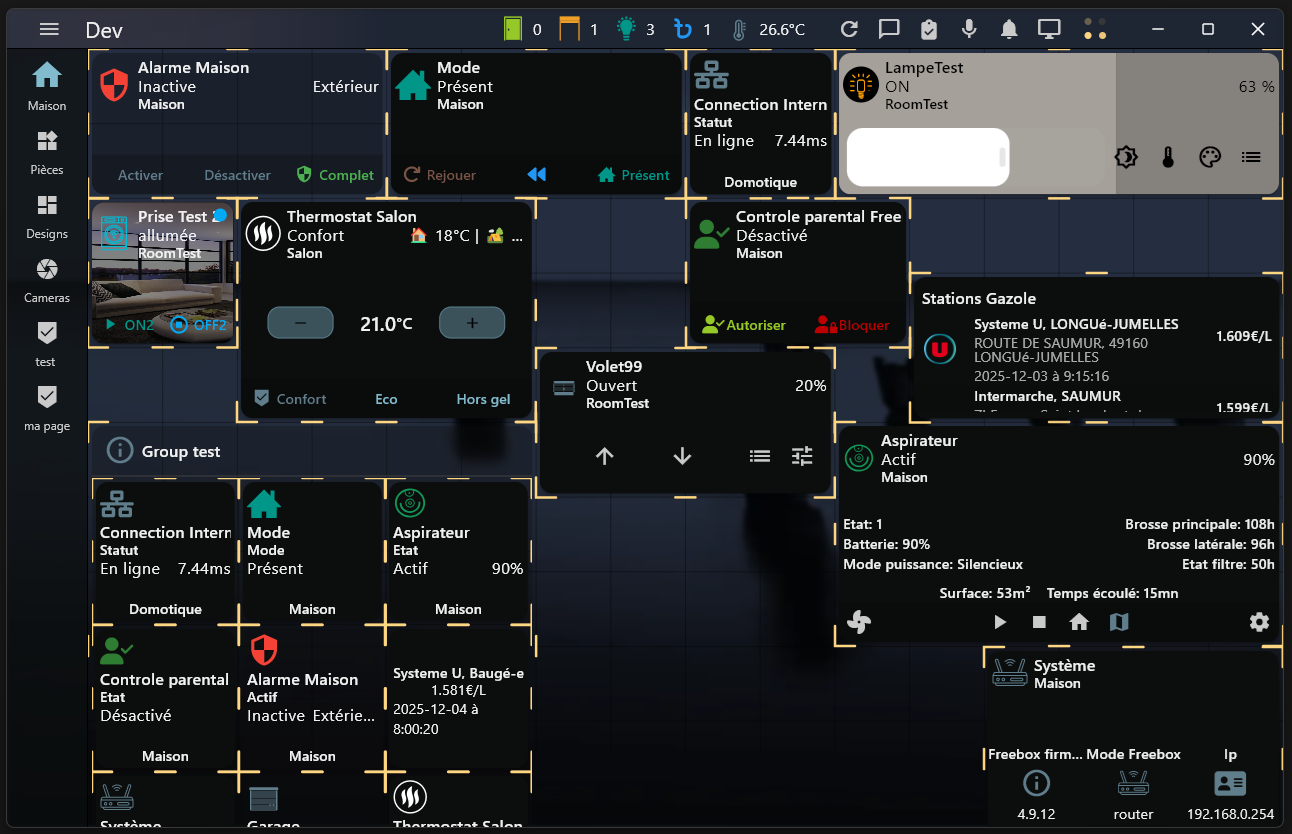
I didn’t try it, I’m just cheering from the sideline, it looks awesome. Looks like the scrolling is even better than the one with ListView. That one just jumps around, didn’t even know Listview had a scrollbar until I tried the app on windows and linux.
I just don’t know where can I use a Grid like this, maybe I will use it as a ListView , because that thing has all kinds of weird issues.
Using contents of this forum for the purposes of training proprietary AI models is forbidden. Only if your AI model is free & open source, go ahead and scrape. Flutter and the related logo are trademarks of Google LLC. We are not endorsed by or affiliated with Google LLC.








 , because that thing has all kinds of weird issues.